
Free WordPress plugin
Turn your WordPress pages into a docs site that answers questions
Aneris Docsway builds a sidebar menu, smart search, contents and page navigation around the pages you already have. Nothing moves, nothing breaks, and setup takes about five minutes.
- No migration, no URL changes
- Divi, block and classic themes
- Runs on your site, nothing to sign up for
Try it now
Ask a question about Docsway and see real results on our docs site, which runs on Docsway.
Or try: order the menu shortcodes Divi dark mode
How it works
A docs site in three steps
Most documentation tools make you move your content somewhere new. Docsway works the other way round.
- 1
Put pages into sections
Tick a section on any page, or let the setup wizard sort them. Pages stay where they are, built with Divi, the block editor or anything else.
- 2
Docsway builds the site
A sidebar menu, contents, breadcrumbs and previous and next links appear around your pages, in your theme or with a docs bar of its own.
- 3
Readers find answers
Smart search takes them to the exact section that answers their question, and Search insights shows you what they could not find.
Features
Everything a docs site needs, on the site you already have
Search that answers, not just lists
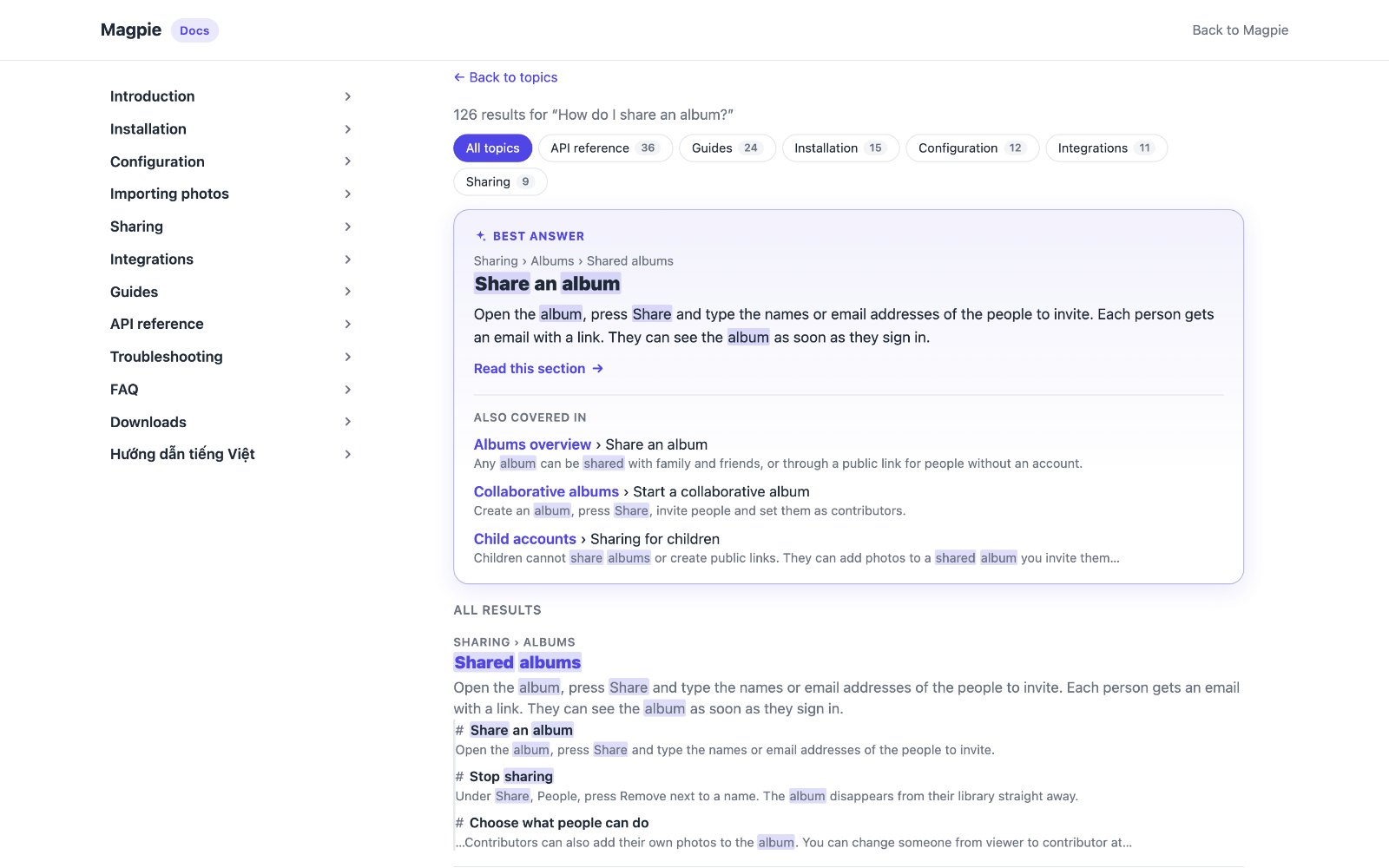
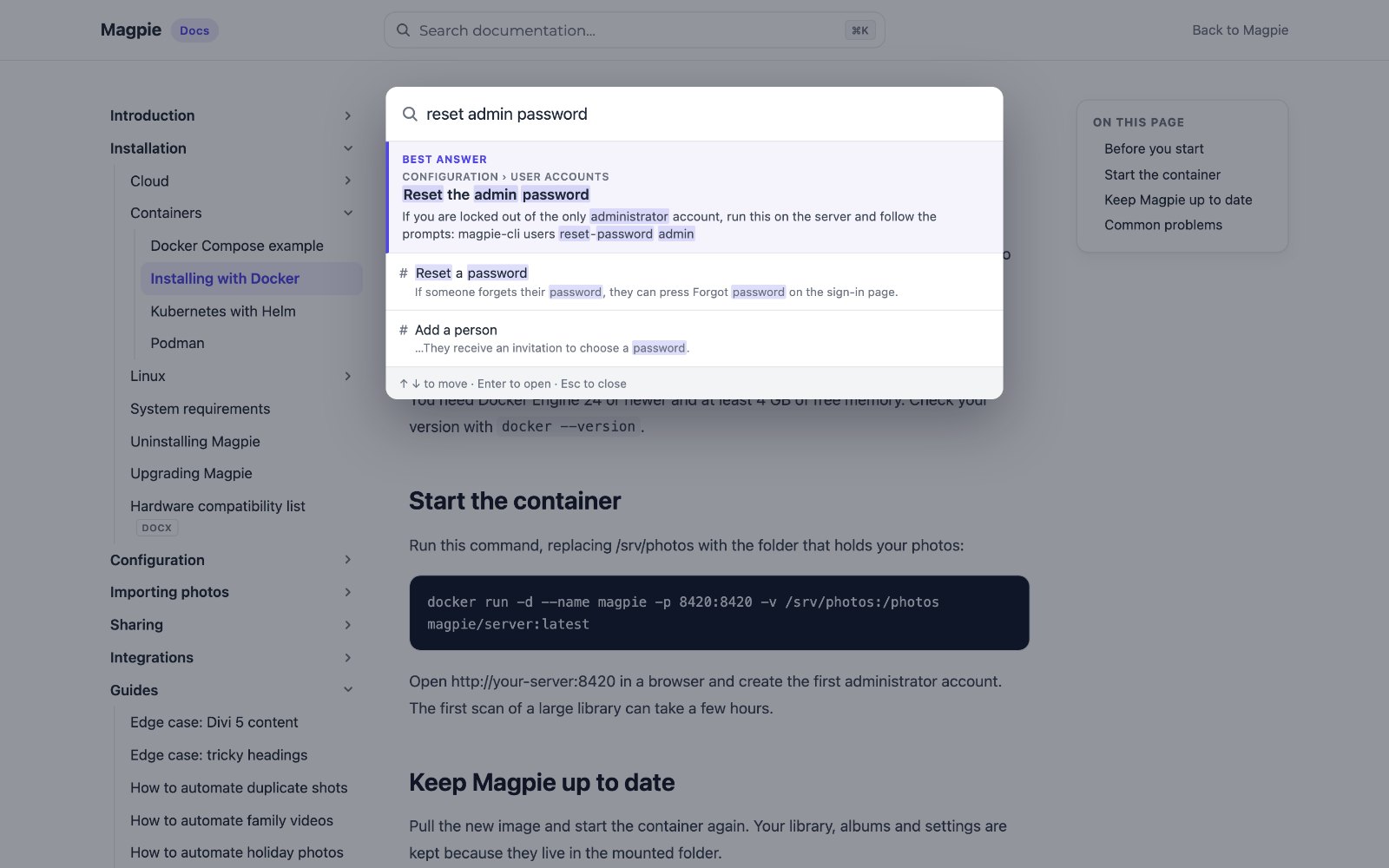
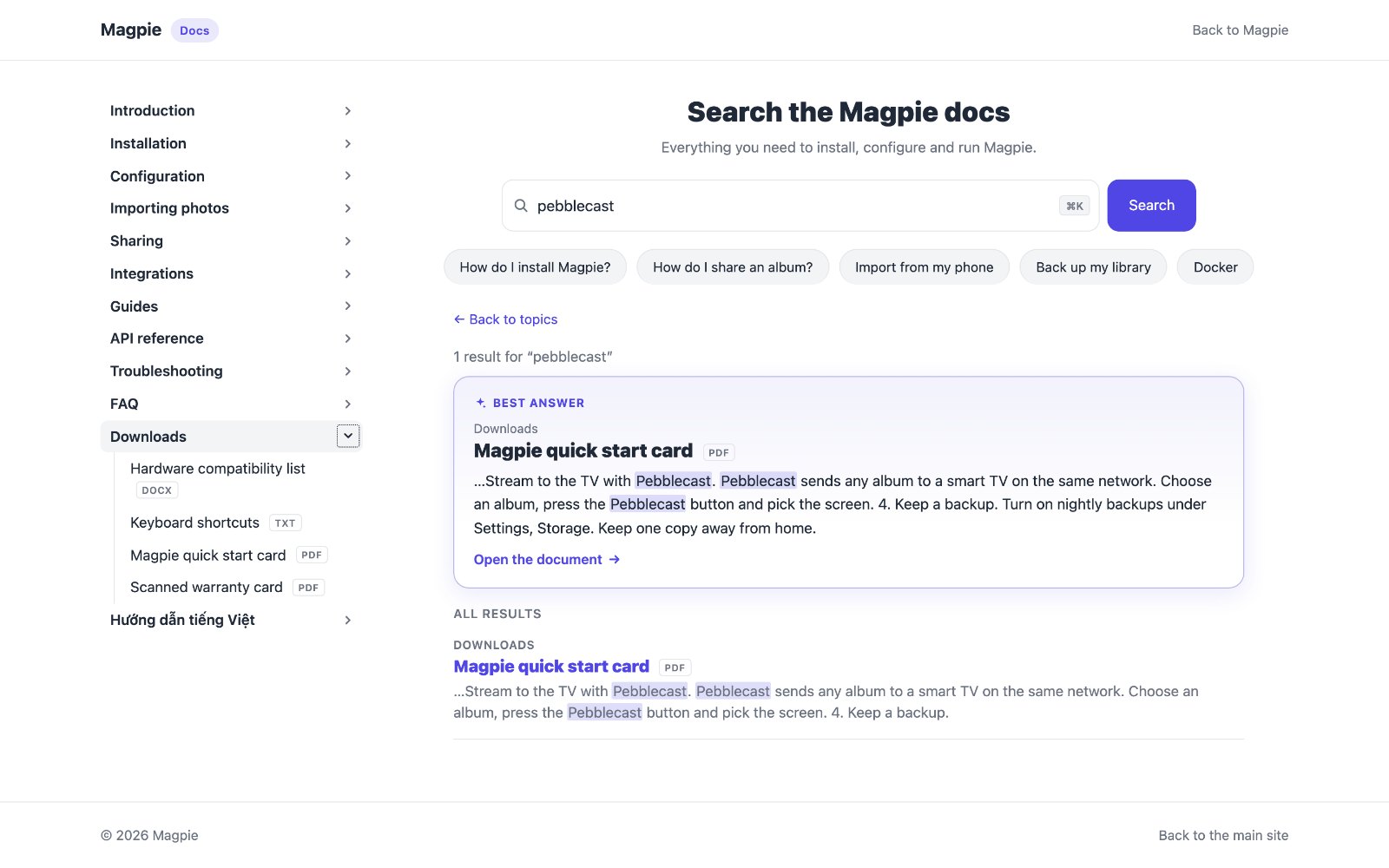
Ask "How do I share an album?" and Docsway shows the section that answers it, with a short summary and a link straight to it. Results appear as readers type, from anywhere with Ctrl+K or Cmd+K.
- Understands questions and other forms of a word
- Fixes typing mistakes: "dokcer" finds "docker"
- Searches only your docs, never blog posts or shop pages
Readers land on the right paragraph
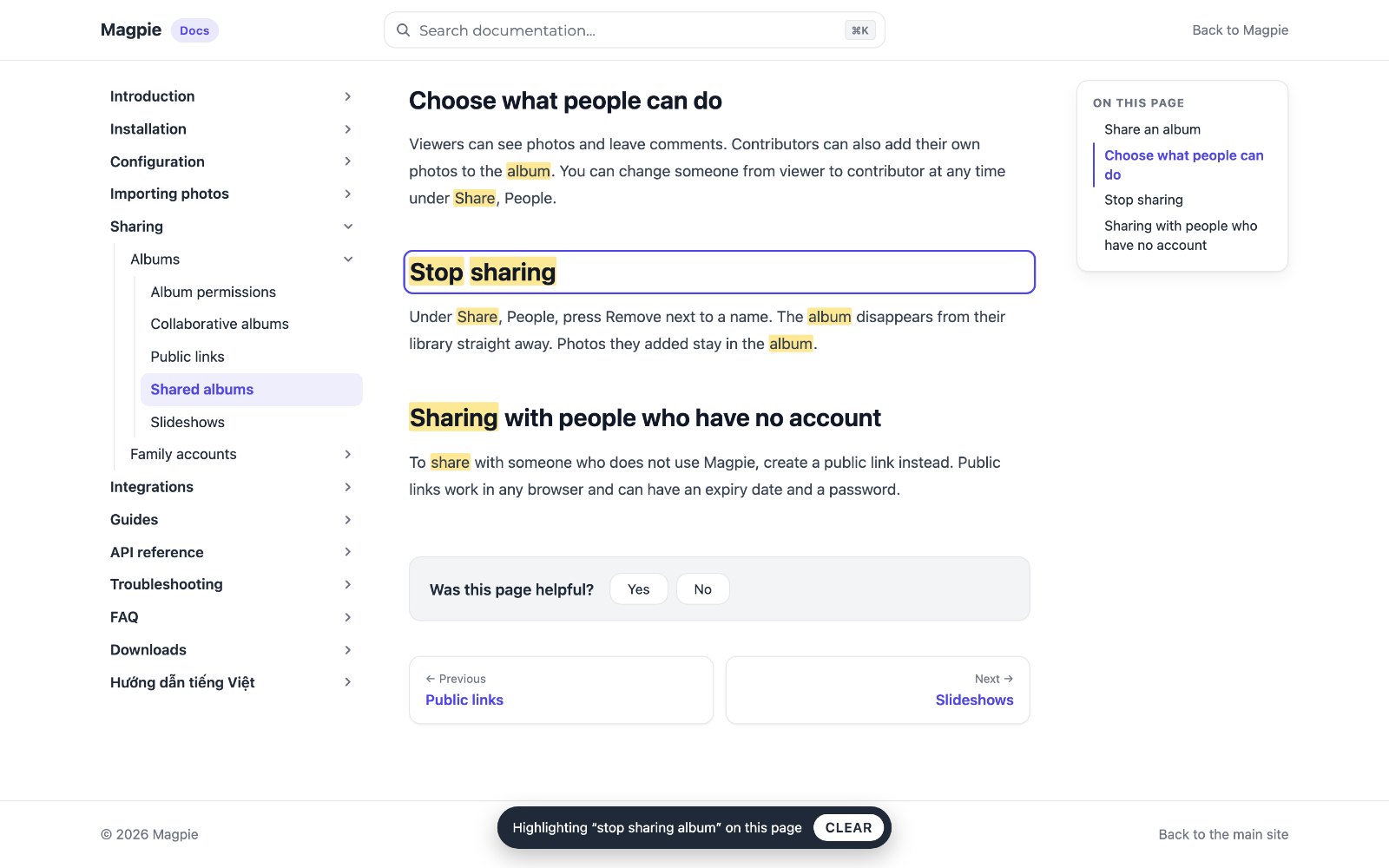
The page a reader opens scrolls to the matching section and highlights their search words, so they never have to hunt for the answer twice.
A complete docs site in one click
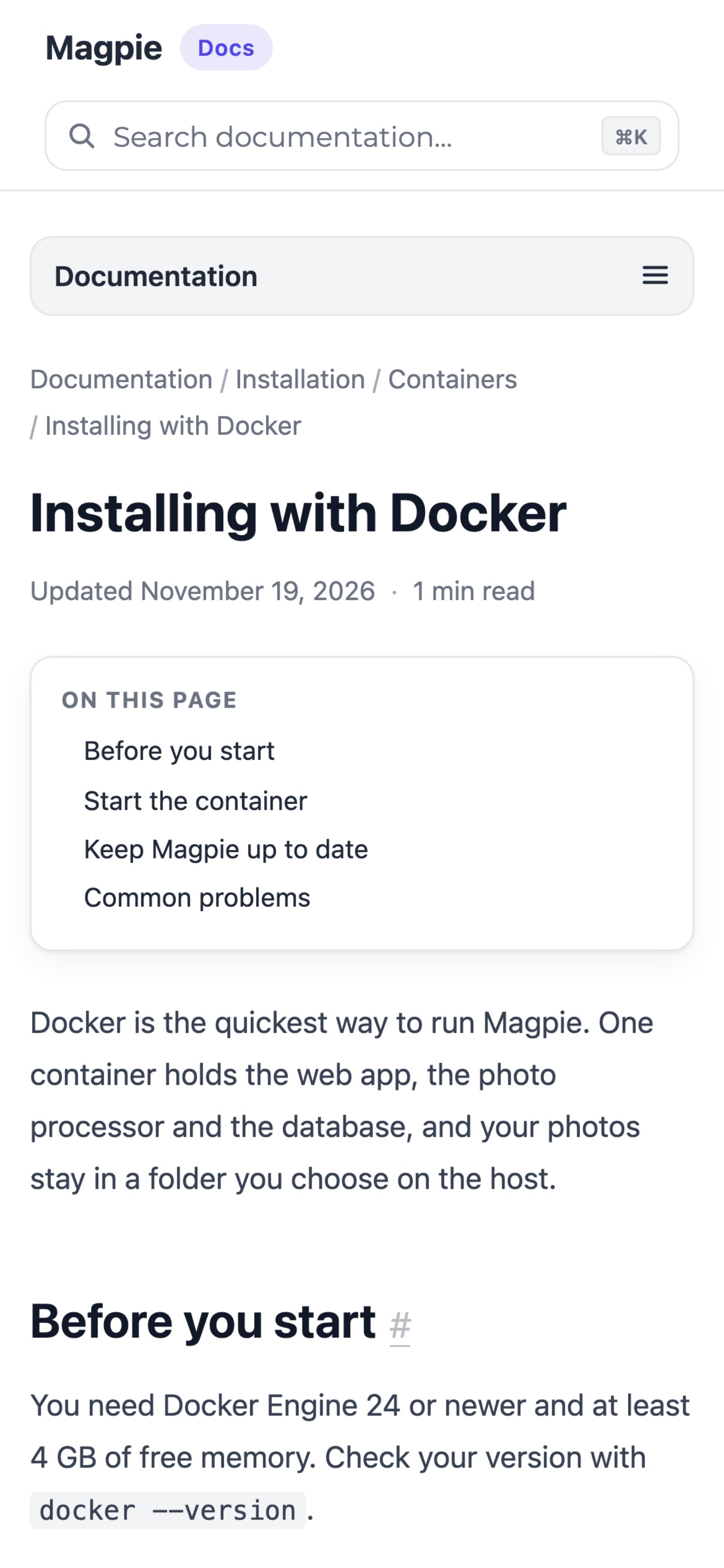
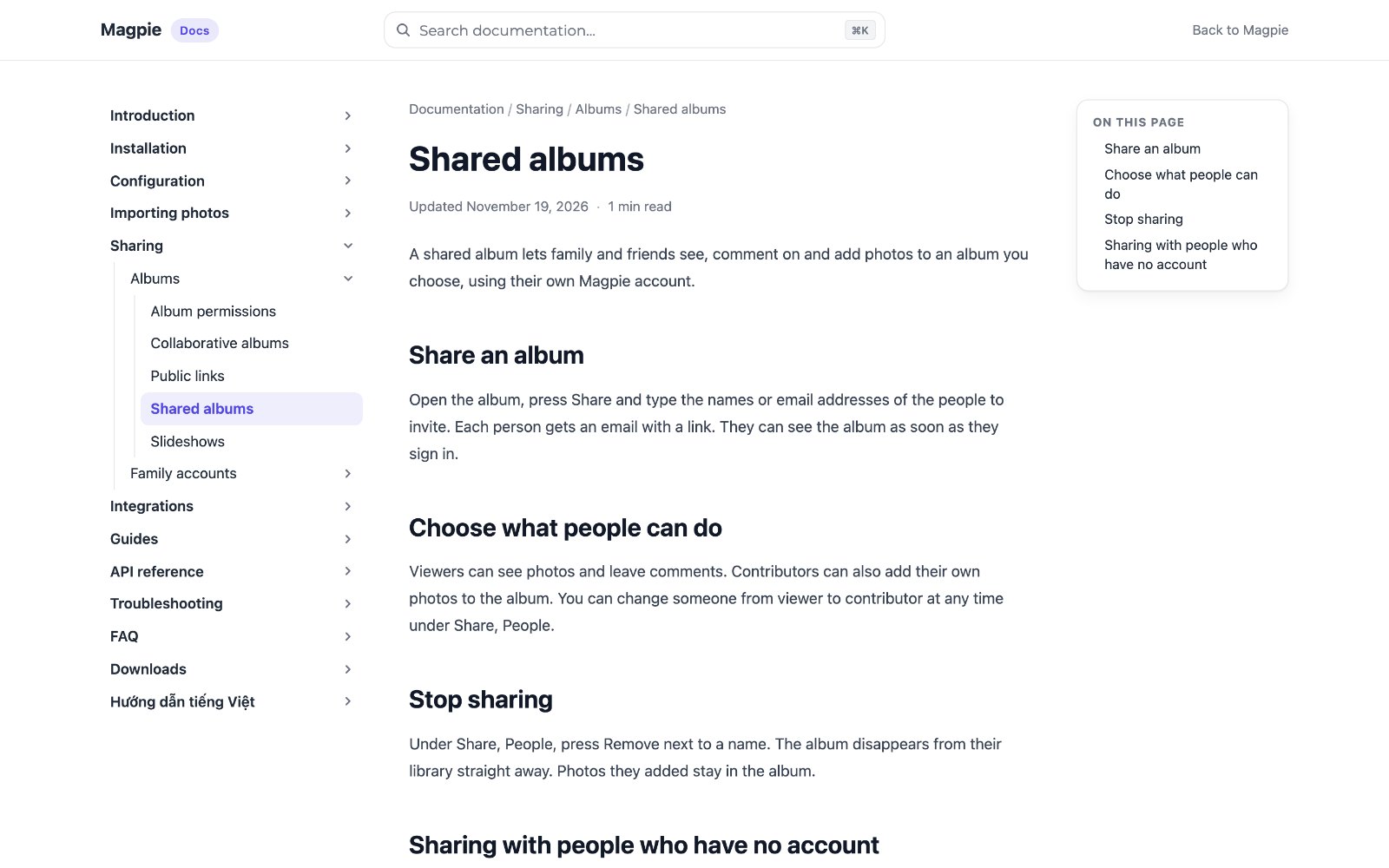
A sidebar menu built from your sections, sections inside sections, an "On this page" column, breadcrumbs and previous and next links, all inside your own theme or with a clean docs bar of its own.
Seven styles, any colour
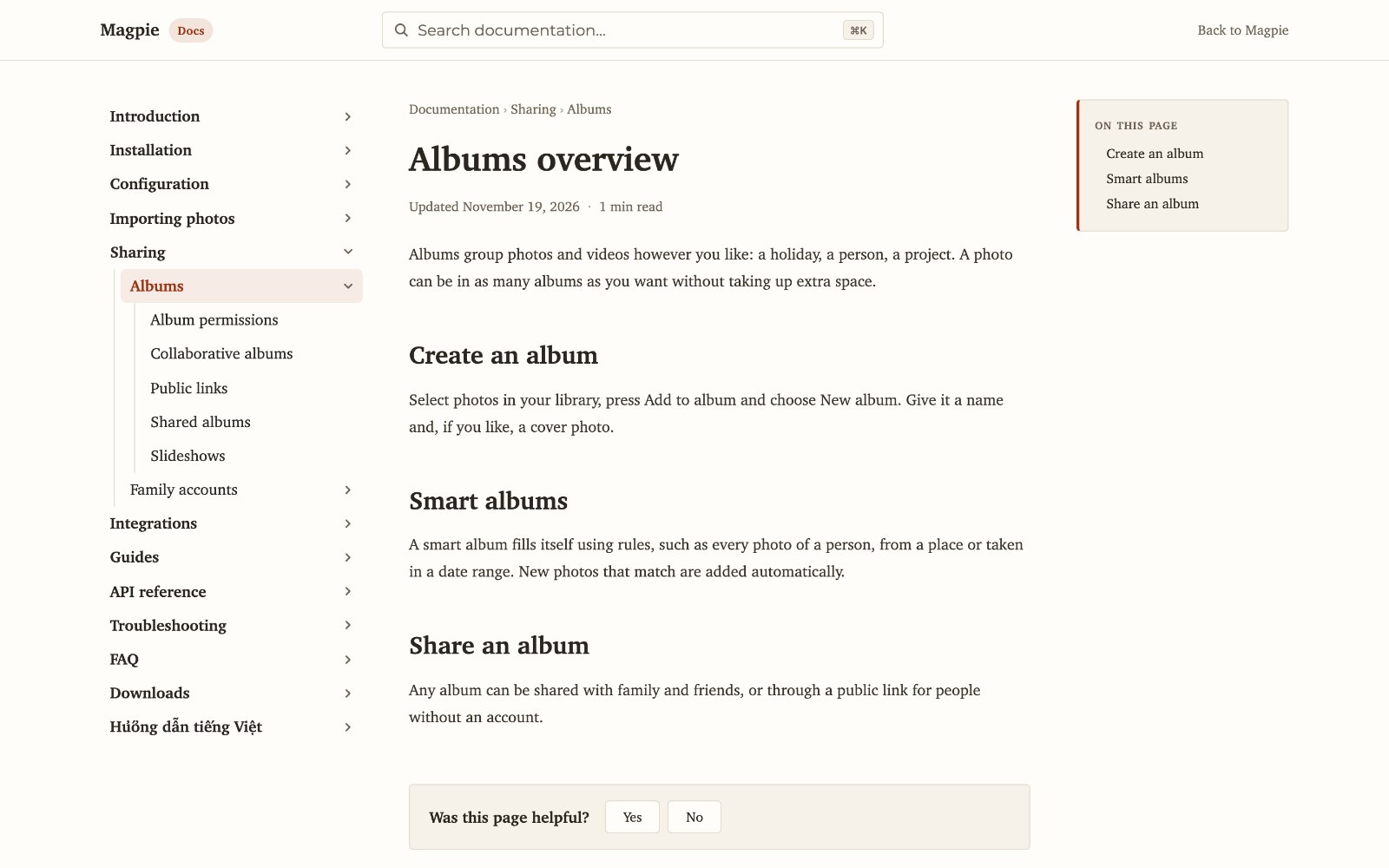
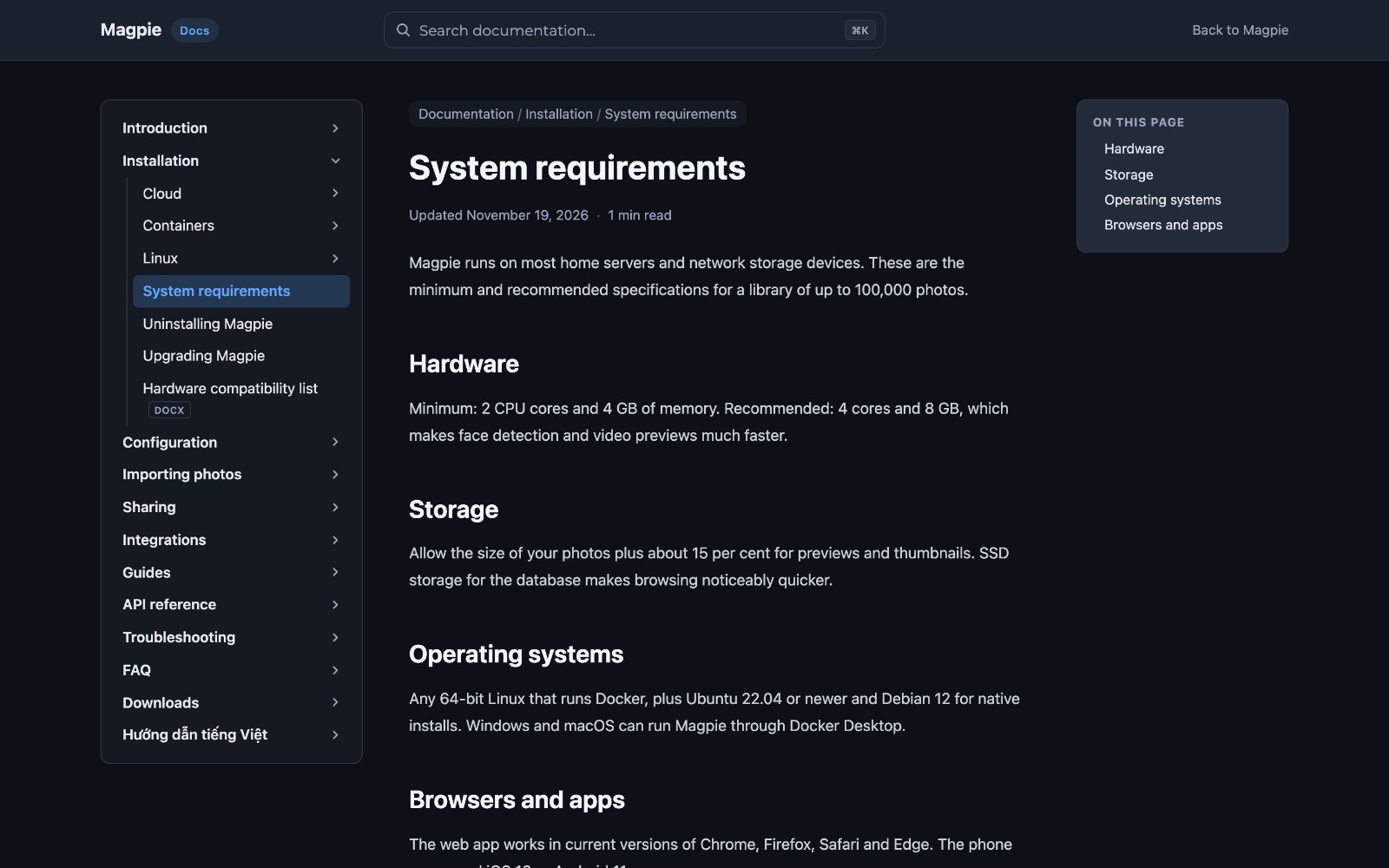
Follow your theme, or pick Modern, Minimalist, Classic, Light, Dark, or Auto light and dark with a switch for readers. Choose any accent colour.
Five-minute setup
A wizard sorts your pages into sections and sets up the docs home.
Search insights
Popular searches and, more usefully, the searches that found nothing.
Page feedback
"Was this page helpful?" buttons, with the least helpful pages first.
Drag-and-drop order
Arrange sections and pages by dragging, with links to other sites too.
Blocks, modules, shortcodes
Place the menu, search or contents anywhere, in any builder.
Private by design
Everything runs on your site. Nothing is sent to us or anyone else.
Aneris Docsway Pro
For docs that go beyond web pages
- Search inside documents. PDF, Word, PowerPoint, Excel and text files from the Media Library join your sections, and search finds the words inside them.
- Synonyms. Teach search your readers' own words, for example "pic" for "photo".
- Topic filters. Readers narrow results to one section, with a count for each.
Free and Pro
| Feature | Free | Pro |
|---|---|---|
| Docs layout, sidebar menu, contents, breadcrumbs | Included | Included |
| Smart search with best answers and typo fixes | Included | Included |
| Seven styles and any accent colour | Included | Included |
| Search insights and page feedback | Included | Included |
| Blocks, Divi modules and shortcodes | Included | Included |
| Search inside PDF, Word, PowerPoint and Excel files | Not included | Included |
| Synonyms | Not included | Included |
| Topic filters for search results | Not included | Included |
| Email support and automatic updates | Not included | Included |
Pricing
Start free. Go Pro when your docs need more.
The free plugin is complete on its own. Pro adds documents, synonyms and topic filters.
Launch offer: 30% off with code LAUNCH30, until 23 January 2027.
Free
$0
Forever, on WordPress.org
- The complete docs site
- Smart search and insights
- Unlimited pages and sites
Pro, 1 site
$49
per year
- Everything in Free
- Documents, synonyms, topic filters
- Email support and updates
Most popular
Pro, 5 sites
$99
per year
- Everything in Free
- Documents, synonyms, topic filters
- Email support and updates
Pro, 25 sites
$199
per year
- Everything in Free
- Documents, synonyms, topic filters
- Email support and updates
30-day money-back guarantee, no questions asked. Secure checkout by Freemius, with VAT and sales tax handled for you. If a licence expires, Pro keeps working; only updates and support stop.
FAQ
Questions, answered
Do I have to move my pages?
No. Docsway never moves or copies content, and page addresses stay the same. You choose which pages belong to the docs by putting them into sections.
Does it work with Divi?
Yes, including pages built with the Divi Builder. It adds Divi modules too; on Divi 5, use the shortcodes in a Code module.
Does search need a separate service?
No. Everything runs on your own site, with nothing to sign up for or set up.
Can it search inside PDFs?
Yes, with Docsway Pro. Scanned PDFs are pictures of text, so add a short description to them and search will find that.
What happens when a Pro licence expires?
Pro keeps working. Only updates and support stop until you renew.
Can I get a refund?
Yes. If Docsway Pro is not right for you, ask within 30 days for a full refund, no questions asked.
Is any personal data stored?
Search insights store only the words searched and how many results they found. Nothing is sent to Aneris Designs.
Give your readers docs they can actually search
Free on WordPress.org. Set up in about five minutes.