Your readers tell you what is missing from your docs every time they search. Docsway, Search insights collects it in one place.
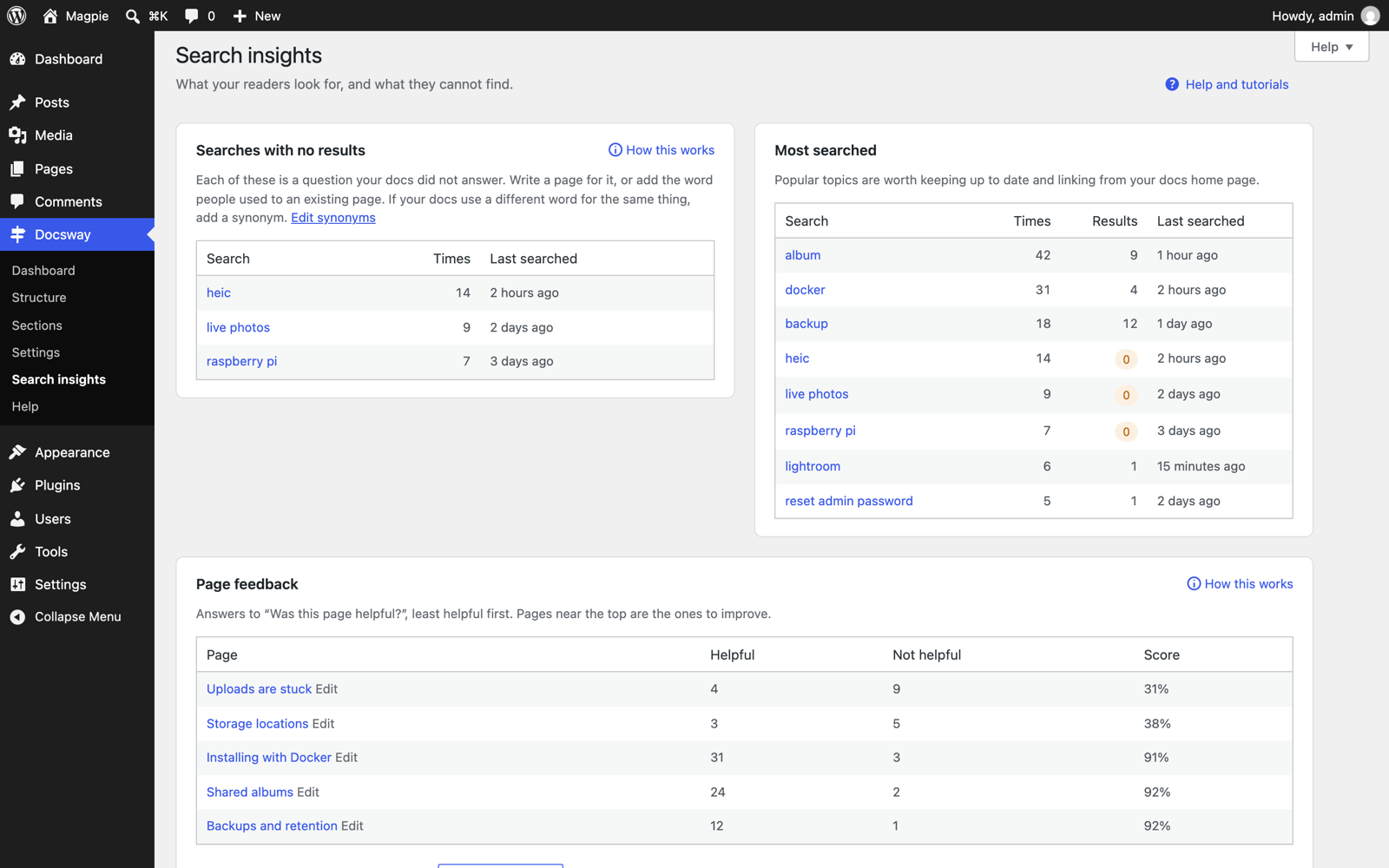
Searches with no results
The most useful list. Each line is a question your docs did not answer. For each one, either:
- write the page that answers it, or
- if your docs cover it in other words, add that word to the page, or with Docsway Pro add a synonym (the Edit synonyms link takes you there). For example, if readers search "pic" and your docs say "photo", add
photo, pic.
Most searched
The topics readers care about most. Keep these pages up to date, and use them for the quick searches and topic cards on your docs home page.
Page feedback
When "Was this page helpful?" is switched on (Docsway, Settings, Navigation, Add to every doc page), readers can answer Yes or No at the bottom of each doc page. The table lists pages with their Helpful and Not helpful counts and a score, least helpful first. The pages at the top are the ones to improve.
Each reader can answer once per page per day.
Privacy
- The search log stores only the words searched, how often and how many results they found. No IP addresses or user details. Turn it off in Docsway, Settings, Search, Extras.
- Page feedback stores a yes and no count per page. To stop repeat votes, a one-way hash of the voter's IP address is kept for one day and then deleted.
- Nothing is sent outside your site.
Clearing data
- Clear log at the bottom of Search insights deletes the search log. Tick the confirmation box first.
- Reset feedback in the Page feedback card sets every page back to zero.